Starlink Mini
Starlink Mini in Bunbury and the South West
The Mini is the little one: roughly laptop-sized, with the Wi-Fi built into the dish. It's made to travel, but plenty of them end up living on a house, a beach shack or a shed down here. Here's who it suits, how I mount it so it stays put, and what to sort out before you buy.
Installation range: $400–$500You buy the Mini · travel quoted up front
Updated
Who it suits
Who the Mini suits down here
It's not a smaller version of the same thing. It's built for people who need internet in more than one place, or only some of the time.
Holiday houses
A place at Dunsborough or Busselton that sits empty half the year. On a fixed mount, the Mini means the internet's there when you are. Starlink's website has the current plans if you're weighing it up.
Vans and 4WDs
Heading off on a lap, or parked on the coast for the season. I'll help you work out a sensible setup, and give the Mini a proper spot at home for when the van's parked. There's more on vans further down.
Farm jobs and bare blocks
A shearing shed, a worksite, or a building block with no internet on it yet. On its stand, a Mini gets you online quickly while the house catches up.
A backup for the house
When the NBN drops out, a Mini kept in the cupboard can get you through the day. It needs sky to work, so it has to go outside, not on the kitchen bench.
When the Standard's the better call. If it's the main internet for a home that's online all day, with a few people streaming and working, I'd usually steer you to the Standard. It's built to live on the roof, and its separate router gives more options for covering a bigger house. See the Standard and the Mini side by side.
Mounting
How I mount a Mini
The kickstand's fine for a weekend away. When the Mini's staying put, it wants a spot with clear sky, fixed so the wind can't shift it.
On its kickstand
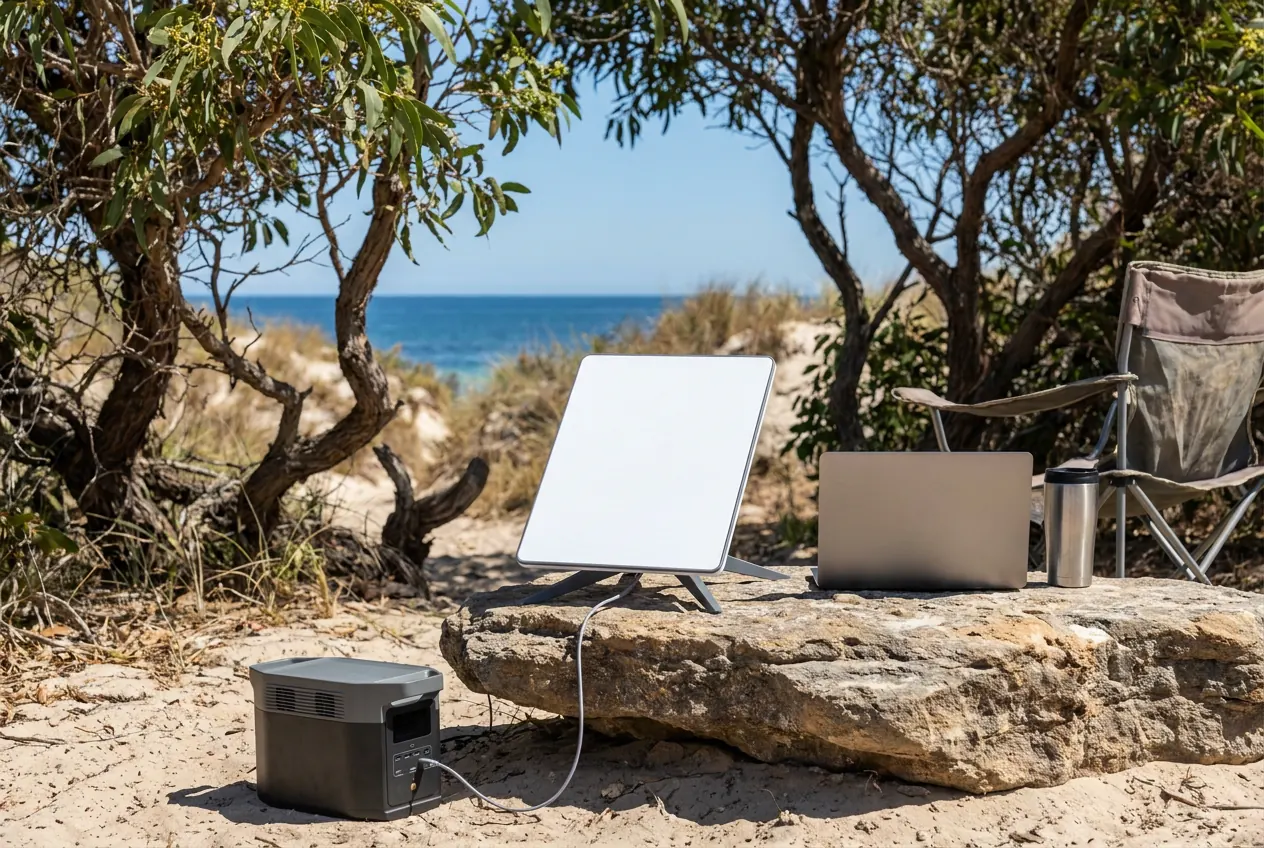
What it comes with. Good on a camp table or for testing a spot. Left on the lawn for months, it gets knocked and shaded.
Wall or gable bracket
Up near the eaves of the house or the beach shack, above the fence line and out of the way.
On a pole
Lifts it above the peppermints, the gums or the neighbour's roof. The usual answer on a treed block.
On the shed
Often the clearest sky on a farm. Then I sort out how the connection gets back to the house.
On the van or the 4WD. I'll help you work out a sensible setup and where it'll see the clearest sky at camp. Anything wired into the vehicle's electrics is a job for an auto electrician, so talk to one about that part.
Before you buy
Sky, power and the plan
Trees and sky down here
Along Geographe Bay it's peppermints and the next roof over. Further south it's karri and jarrah, and they're a lot taller. The Mini needs a clear view of the sky just like the bigger dish, so the obstruction check in the Starlink app comes before any mount goes up. You can run it yourself before you ring.
Power, in plain words
At home it runs off a normal power point. On the road, people run it from a portable power station or the van's own power setup. It uses more than a phone charger, so check Starlink's guidance on what it needs before you plan a weekend off-grid. Where the power is also decides where the dish can go.
The plan
Mini plans and prices are Starlink's department, and they change. Check the current options on the Starlink website before you buy, and pick one that suits how often you'll really use it.
Asked about the Mini
Mini questions
Where can I buy a Starlink Mini around Bunbury?
Order it online from Starlink, or try a big retailer like Harvey Norman, and ring the store first to check stock. I don't sell the kit. I mount it, run the cable and sort the Wi-Fi, and buying it yourself keeps any warranty claim between you and Starlink.
Can I just set up my Mini myself?
Yes. It's made for that: stand it where it can see open sky, plug it in and follow the app. I come in when it's staying put, with a proper mount on the house or shed, the cable run tidy, and Wi-Fi that reaches the rooms you use.
Can a Mini be mounted permanently at home?
Yes. At home it does best on a fixed mount with a clear view of the sky, not sitting on the lawn. I pick the spot with the obstruction check and fix the mount so it stays put through winter.
Can you help with a Mini for the van?
I'll help you work out a sensible setup, whether that's the kickstand or a portable pole, and where it'll see the clearest sky. I can also give it a fixed spot at home for when the van's parked. Wiring into the van's power is one for an auto electrician.
Can a Mini run the whole house?
In a small place with light use, often yes. For a family home that's online all day, I'd usually point you to the Standard. The Mini's built-in Wi-Fi suits a van or a small space, so a bigger house may need an extra Wi-Fi point either way.
Can it go on the shed with the Wi-Fi brought back to the house?
Yes. If the shed sees the best sky, that's where it goes, and part of the quote is working out how the connection gets back to the house: a cable run, or a Wi-Fi link between the buildings.
Will it cope with a South West winter on a pole?
It's made to sit outdoors. What decides it is the mount: fixed firm so the westerlies can't shift it, with the cable clipped and protected. Very heavy rain can still interrupt it briefly, like any satellite service.
Do I need a special mount?
On its kickstand, no. For a fixed spot on a wall, a pole or the shed, it needs a mount made for the Mini. Choosing and fitting the right one is part of the quote.
Can you set it up at the holiday house so it just works when we arrive?
I can mount it for good, set up the Wi-Fi and check it all works before I leave, so there's nothing to fiddle with when you get there. What the plan does between visits is up to you and Starlink, so check their website for the current options.
Get a quote
Got a Mini, or about to buy one?
Tell me your town and where you'd like it to live, and I'll come back with a price, travel and all. Installation range: $400–$500, kit not included.