Independent local installer — not affiliated with Starlink or SpaceX.

Starlink installation

Starlink installation in Bunbury, without the shortcuts

Here's what makes one job cost more than another (down here it's mostly the drive), the difference between the Standard kit and the Mini, what you get on the day, and the ways I can mount it. No surprises.

Installation range: $400–$500You supply the kit. Down here the drive is usually the biggest variable, then the mount, the length of cable and the roof's height and pitch. You'll have the full figure before I lift a tool.

We install Starlink

Independent installer — not affiliated with Starlink or SpaceX.

The job at a glance

What the install includes

  • A sky check with the Starlink app before any holes go in
  • The mount and fixings for a standard roof or wall job
  • The cable run inside, with a sealed entry
  • Router placed and Wi-Fi set up, your devices connected
  • A speed test on site, and a run-through of the app

What can cost extra

  • Travel. A bigger factor down here than in town. Quoted up front.
  • Tall poles and ground mounts
  • Long runs to a shed, or in-wall through a tricky house
  • Double storey, steep or hard-to-reach roofs
  • Mesh Wi-Fi, data points or a 4G backup

What you buy separately

  • The Starlink kit, Standard or Mini, from Harvey Norman or Starlink online
  • Your Starlink plan. That's between you and Starlink.

Pricing

What changes the price

Installation range: $400–$500 covers a straightforward job close to Bunbury. Local work, local rates. Here's what moves it, biggest first.

Travel

The big one down here. Bunbury and nearby, no drama. If you're out past Bridgetown or up a long gravel road, travel adds to the price, and I'll tell you how much up front. Here are the towns I cover.

Mount type

A standard roof or wall mount is the base. Tall poles and ground mounts take more hardware and more time.

Cable run

A short run into the house is quick. Running to a shed across the yard, or in-wall through a tricky house, takes longer.

Height and access

Double storey, steep pitches and hard-to-reach roofs need more gear and more care.

Extras

Wi-Fi out to the shed or granny flat, extra data points, or a 4G antenna as a backup.

The kit

Not included. You buy it from Harvey Norman or Starlink, and I install it.

Which kit?

Starlink Standard or Starlink Mini

Both work well when they're set up properly. The right one depends on whether it's staying put or going on trips. You can grab either from Harvey Norman or order online from Starlink.

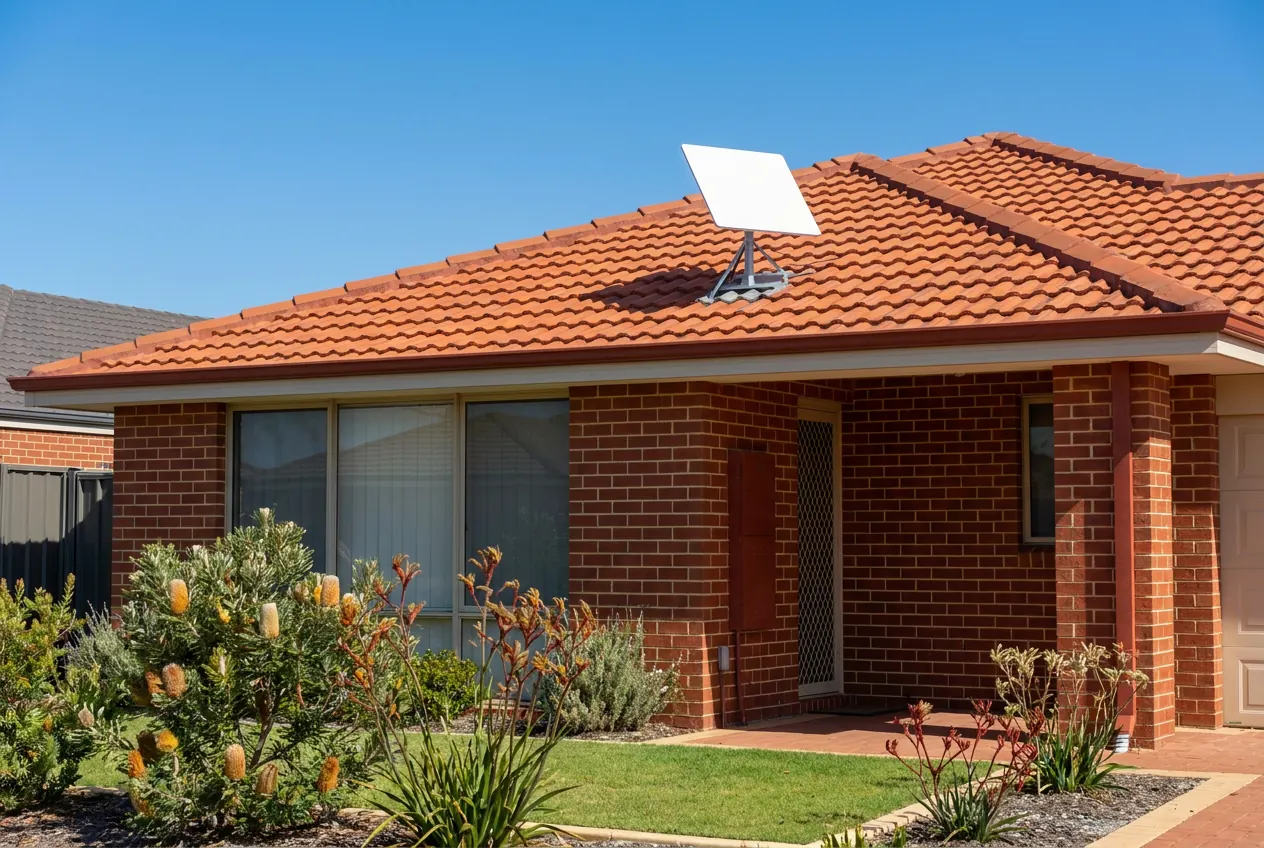
A single-storey red-brick home with a terracotta tile roof and a flat satellite dish on a roof mount, with banksias and kangaroo paws in the front garden. For the house, farm or shed

Starlink Standard

The bigger dish, made to live outdoors on a fixed mount. It's the usual pick for a home, a farm or a business that wants the dish up and forgotten about.

  • Best on a fixed mount: roof, wall, pole or ground
  • Separate router, which I place so it covers the house
  • Built for permanent setups, from town blocks to farms
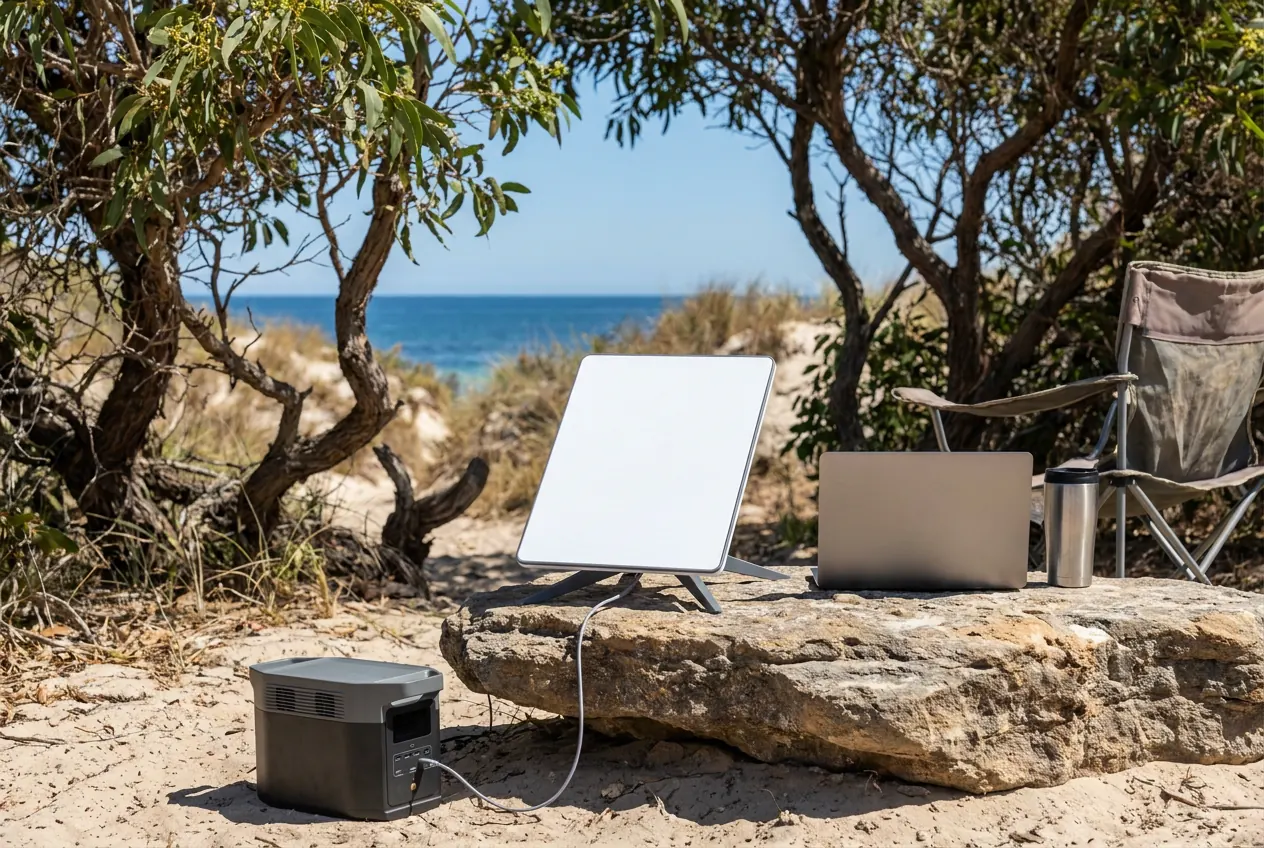
A small portable satellite dish on its kickstand on a flat rock at a coastal campsite, about the same width as the closed laptop beside it, with a portable power pack on the sand. For the van, the ute and the holiday house

Starlink Mini

Compact and portable, with the Wi-Fi router built into the dish. Made to travel, and handy anywhere you only need internet some of the time.

  • Good for caravans, 4WD trips, worksites and holiday houses
  • Built-in router means one less box to find a spot for
  • At home, still works best on a proper mount with clear sky

Torn between them? Tell me how you'll use it and I'll give you my honest take before you buy. Starlink updates its kit and plans from time to time, and their website has the latest.

More on the Mini: mounts, vans and holiday houses

On every job

Where your money goes

  • Sky view checked with the app. That happens before the drill even comes out.
  • A secure mount. Roof, wall, pole or ground, fixed to suit the building and the wind.
  • Cable in and sealed. Through the walls where I can, with every entry point weatherproofed.
  • Router and Wi-Fi. The router goes somewhere central so the whole house gets a signal, not just the lounge. I set up the network and get your devices on. If one router can't cover the whole place, or the shed, I'll tell you and sort a mesh system or a cable run.
  • Speed test. Done on site before I leave.
  • A walk-through. So you know how the app and router work, and what to check if it drops out.
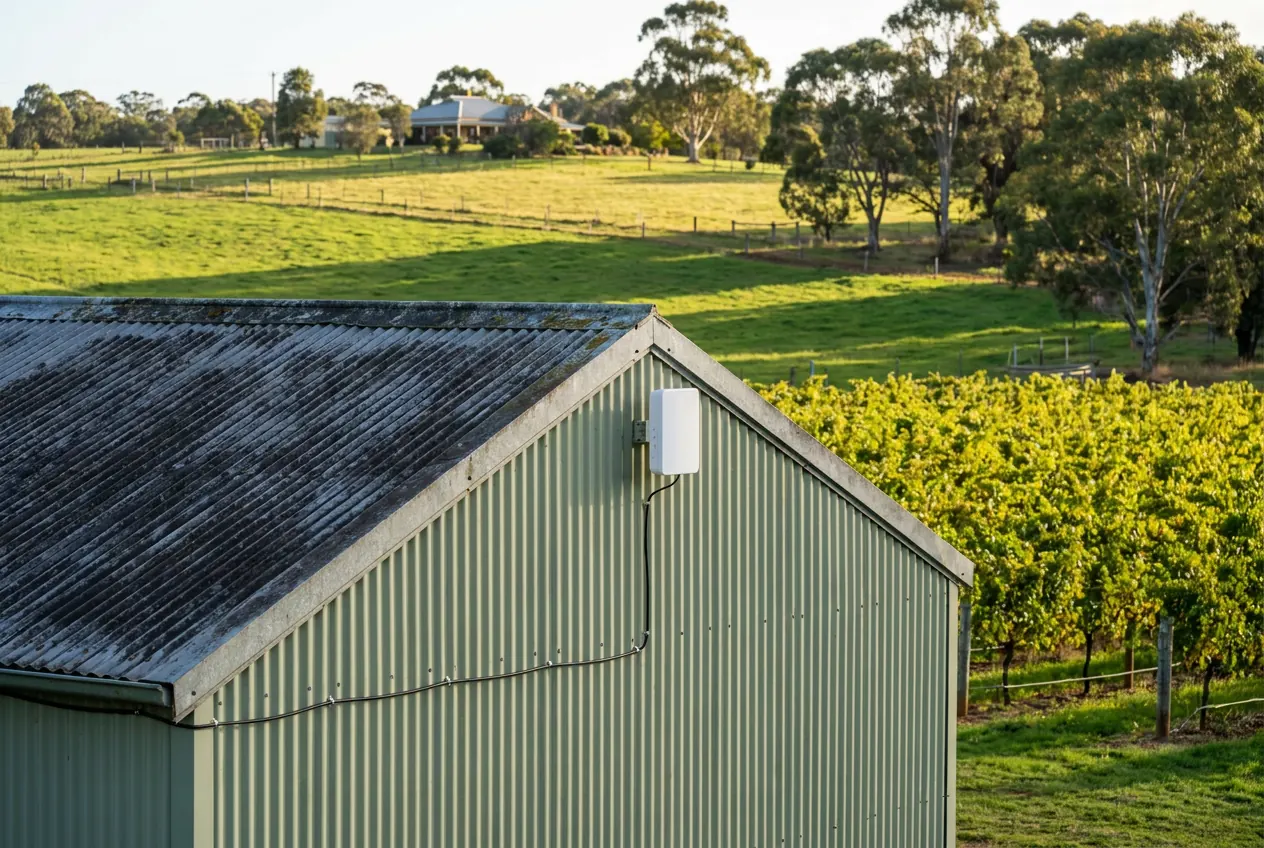
A small white wireless unit fixed high on the gable of a green steel farm shed, its cable clipped along the wall, with a vineyard beside it and the farmhouse across the paddock.

Also available on the day

Handy extras, especially on bigger blocks:

  • Mesh Wi-Fi for big houses, or out to the shed or granny flat
  • Data cabling between buildings and to TVs or computers
  • 4G antennas, and a mobile repeater where your carrier gives written permission, for the odd block where nowhere gets a clear go at the sky
  • TV antennas, TV points and TV wall mounting

After I've gone

Problem with the install itself? Ring me and we'll go through it. Your rights under the Australian Consumer Law apply. If it's the Starlink hardware, your account or an outage, that's one for Starlink support, and I'll point you the right way.

Up on the roof, or not

Four ways to mount it

The mount is chosen by one thing: where the dish gets the clearest sky. Then it's fixed so it won't shift in a winter blow.

Roof mount

The most common. On tin (Colorbond) or tile, single or double storey. Placed for the clearest sky, fixed and sealed properly for the weather.

Wall & fascia mount

Good when the roof is steep, fragile or shaded on one side. A solid bracket fixed to the wall or fascia lifts it clear of the gutter.

Pole mount

When trees or a neighbour's roof block the view, a taller pole lifts the dish above them. Common down here with tall gums around the house.

Ground & shed mount

On bigger blocks the best sky is often out in the paddock or up on the shed. I mount it there and run the connection back inside.

Roofs I work on:

  • Tin / Colorbond
  • Tile
  • Single storey
  • Double storey
  • Sheds & outbuildings

Asked down here

Straight answers

How much does a Starlink install cost in Bunbury?

Installation range: $400–$500 for a straightforward roof or wall job close to Bunbury, with the sky check, mount, cable, Wi-Fi set-up and a speed test included. Travel, the mount, the cable run and the roof all come into it. The kit's separate, and you'll have the full figure, travel and all, before you book.

Doesn't Starlink do its own professional installation?

It can. When you order, Starlink may offer a professional install through its own installers, so check what that covers and what it costs at checkout. For a simple roof job it might suit you fine. Ring me when you need more than that: a pole above the gums, a mount on the shed with the connection brought back to the house, cable run inside the walls, or Wi-Fi out to the granny flat, or when you'd rather have someone who's down this way every week. I'm independent, not one of Starlink's installers, and if their option suits your place better I'll say so.

Can I put Starlink up myself?

You can. Starlink's made so owners can set it up, and a dish sitting on the ground is a fair way to test your spot. Where I earn my keep is getting it up high and clear of the trees, fixed to the roof without leaks, the cable through the wall, and the Wi-Fi out to the shed. If the ground setup does the job, leave it be.

How long does the install take?

A straightforward roof or wall job is normally finished in a single visit. Poles, long runs out to a shed and in-wall cabling take longer, so ask when you get your quote.

Do I need to buy the Starlink kit before you come?

Before I come, yes, but not before you get in touch. Order it online from Starlink or grab it from Harvey Norman, Standard or Mini, and have it on site on the day. Warranty claims go through Starlink directly, which keeps it simple. Still weighing up which one? The comparison further up should help, or just ask.

The block's full of tall trees. Can it still work?

Often, yes, but it depends where they are. Before I drill anything I check the sky view with the Starlink app. If the house is boxed in, a taller pole or a spot on the shed or out in the paddock usually solves it. If nothing on the block can see enough sky, I'll say so rather than put up a dish that won't work.

Can the dish go on the shed or away from the house?

Yes. On bigger blocks that's often the best spot. The cable that comes with the kit is a set length, so part of the quote is working out how the connection gets back to the house, whether that's a cable run or Wi-Fi between buildings.

Should I cancel my NBN first?

No. Get Starlink installed and running, use it for a week or two, then decide. No point going without internet while you find out if it suits you. If your NBN is fixed wireless or satellite and keeps dropping out, or the place has no connection at all, that's where Starlink is most worth a look.

Will rain or wind knock it out?

Very heavy rain can cause a short interruption, as with any satellite link. Wind shouldn't, as long as it's mounted properly, which is why the mount matters so much near the coast. A clear sky view and a solid mount make the biggest difference.

Can you help with a Starlink Mini for my caravan?

Yes. I can advise on a sensible setup for the van, whether that's a portable stand or a pole mount, and set up a fixed mount at home so the Mini has a proper spot when you're not travelling. There's more on Starlink Mini setups, from mounts to holiday houses.

What speeds will I get?

It depends on your plan, your spot and how busy the network is, so I won't promise numbers. What I can control is the install: clear sky and a solid mount give it the best chance. Before I go, we run a speed test together so you can see how it's going.

Are you Starlink?

No. I'm an independent local installer, not affiliated with Starlink or SpaceX. You deal with Starlink for the kit warranty, the plan and the account. I do the install on your property.

Get a quote

Kit's here, or still deciding? Either way, let's talk.

Tell me your town and a bit about the place, and you'll get a price back, travel and all, before you lock in a day. Installation range: $400–$500, kit not included.

Get a quote Call Text